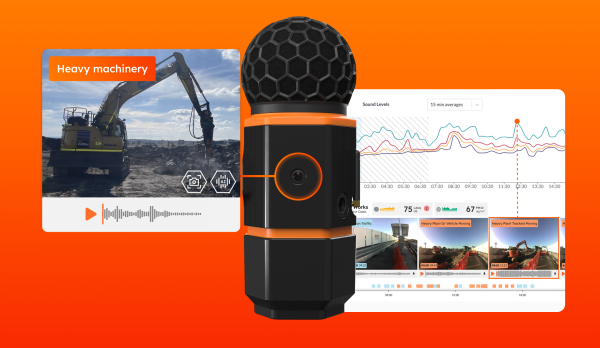
The innovative timeline in SiteHive Enviro is a really effective and time-saving way to manage what’s happening on your site. You can see activities and events at a glance, and drill down into the details if you need to.
SiteHive Enviro starts with the Dashboard: an interactive view of your site which brings all key information directly to you – so you can see and manage it from one place.
Explore our intuitive dashboard
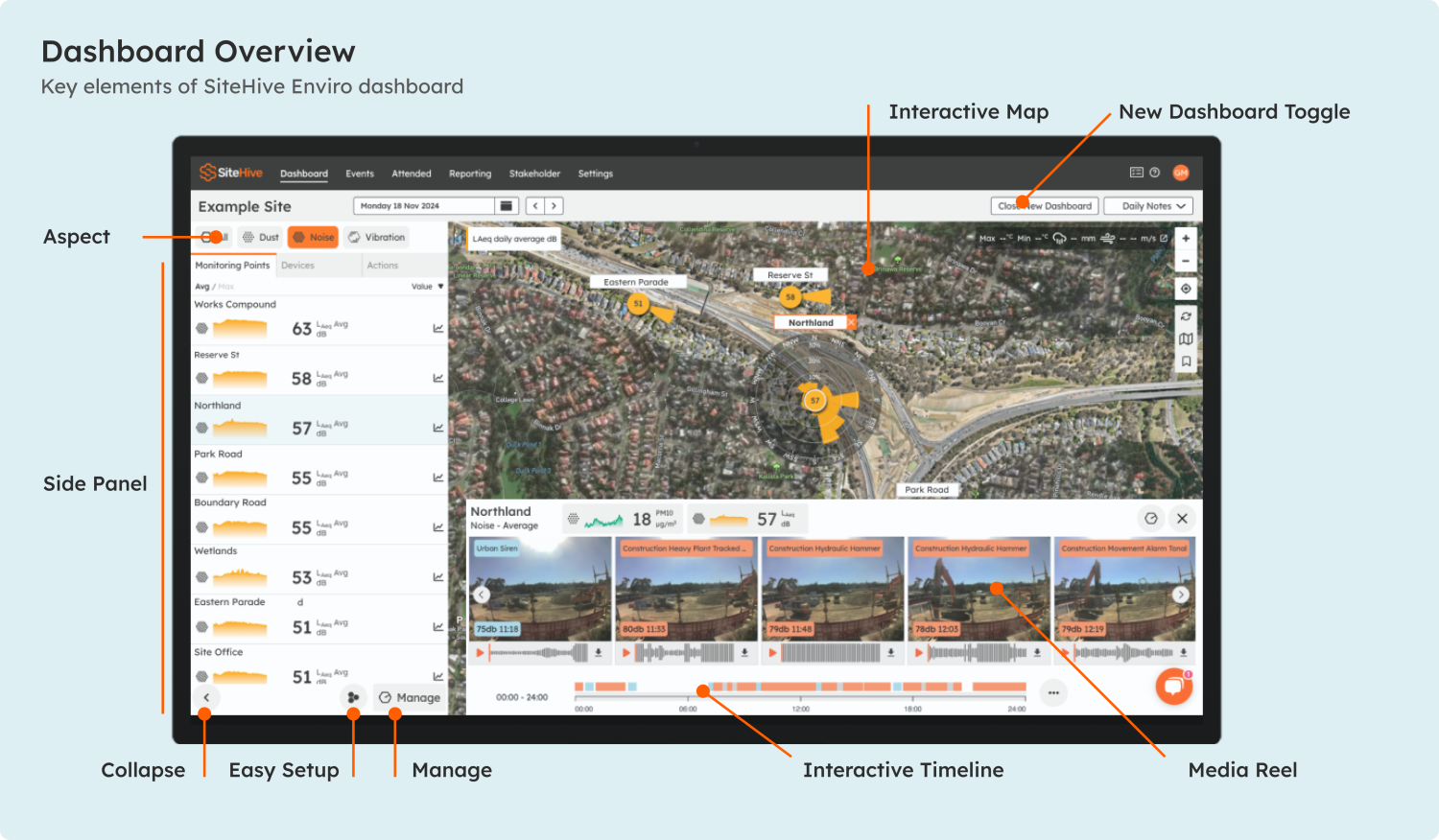
The Dashboard includes a map view of your site and monitoring points, overlaid with key info such as status and direction of arrival monitoring; summary graphs of your current monitoring; and an interactive timeline of what’s happening on site.
This timeline is your not-so-secret weapon. It’s a real time-saver that gets you straight to the info you need and includes integrated images and audio for fast event identification. The timeline includes:
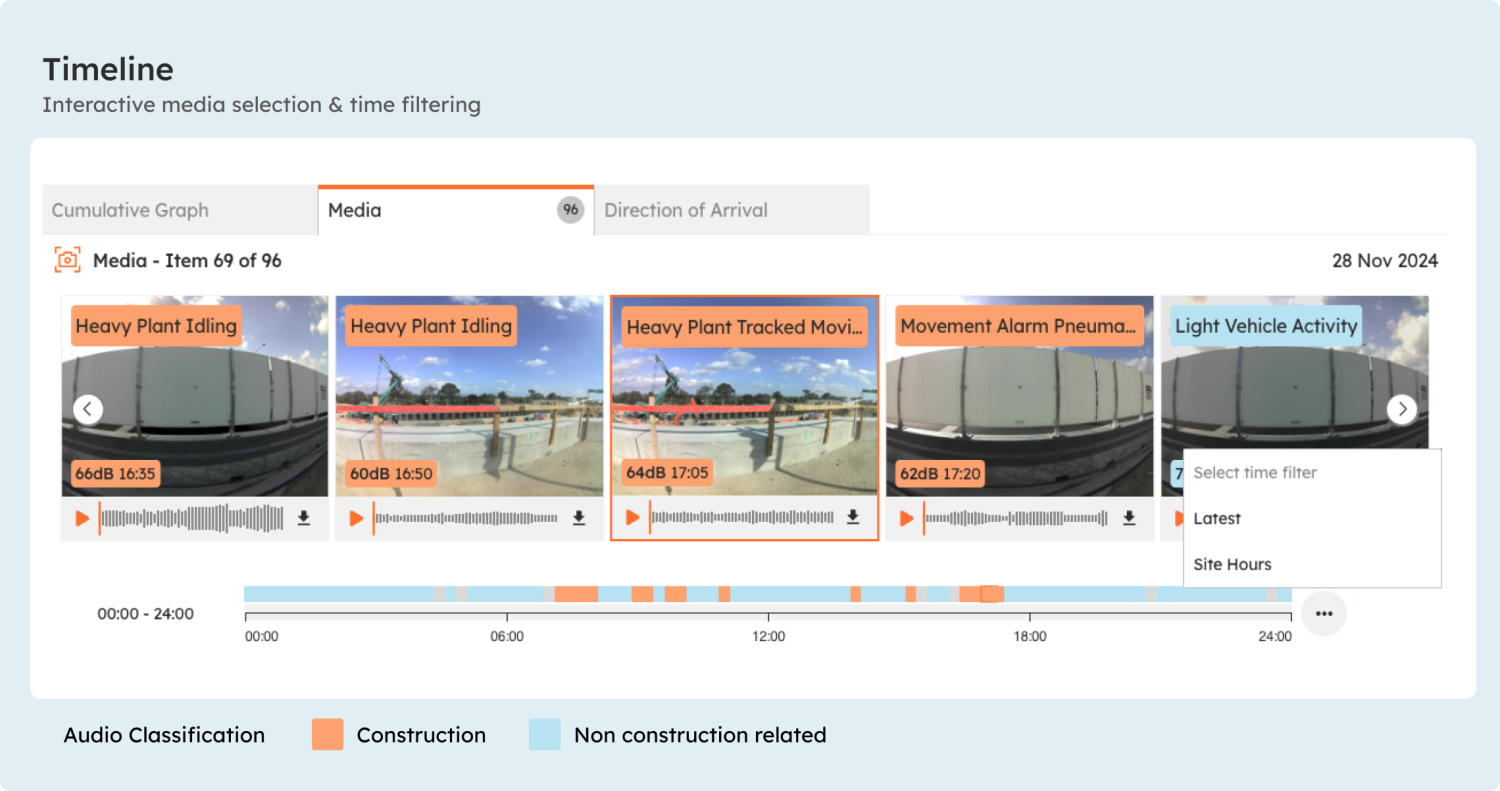
- An interactive 24-hour summary of the day, which you can use to look at specific timeframes quickly.
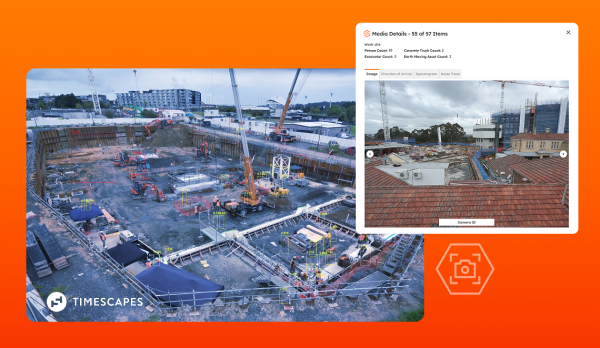
- Media images taken of events on site, so you can clearly see the source of the event at a glance – be it a car, a digger or a person!
- Audio files associated with the event, which you can simply click and play if you need to.
Get straight to the info you need
The timeline summary is a great way to access specific information. You can focus in on specific timeframes to drill down into the details, or view summaries of just the times you’re interested in.
For example, you can filter by site hours so you only see key work hours, or just the latest updates. Or you can use the timebrush feature to pick specific timeframes quickly, and then dive in to investigate the details. The timeline gives you granular control of your environmental data for precise insights into noise, dust, vibration and more.
The timeline always provides time-specific images and audio together, and you can listen to the recordings and examine the images in detail with just one click.
Automated noise classification with AI
In SiteHive Enviro Pro, the timeline also includes next-level event identification courtesy of AI. The system acts as your ears on site, listening to all the sounds and automatically classifying them – saving potentially hours or days of time.
The classified sounds are colour coded: orange for site-related, reportable noise, and blue for external, non-reportable noise. The associated images are tagged with the coloured labels, which specifically identify the sounds – like “jack hammer” for example.
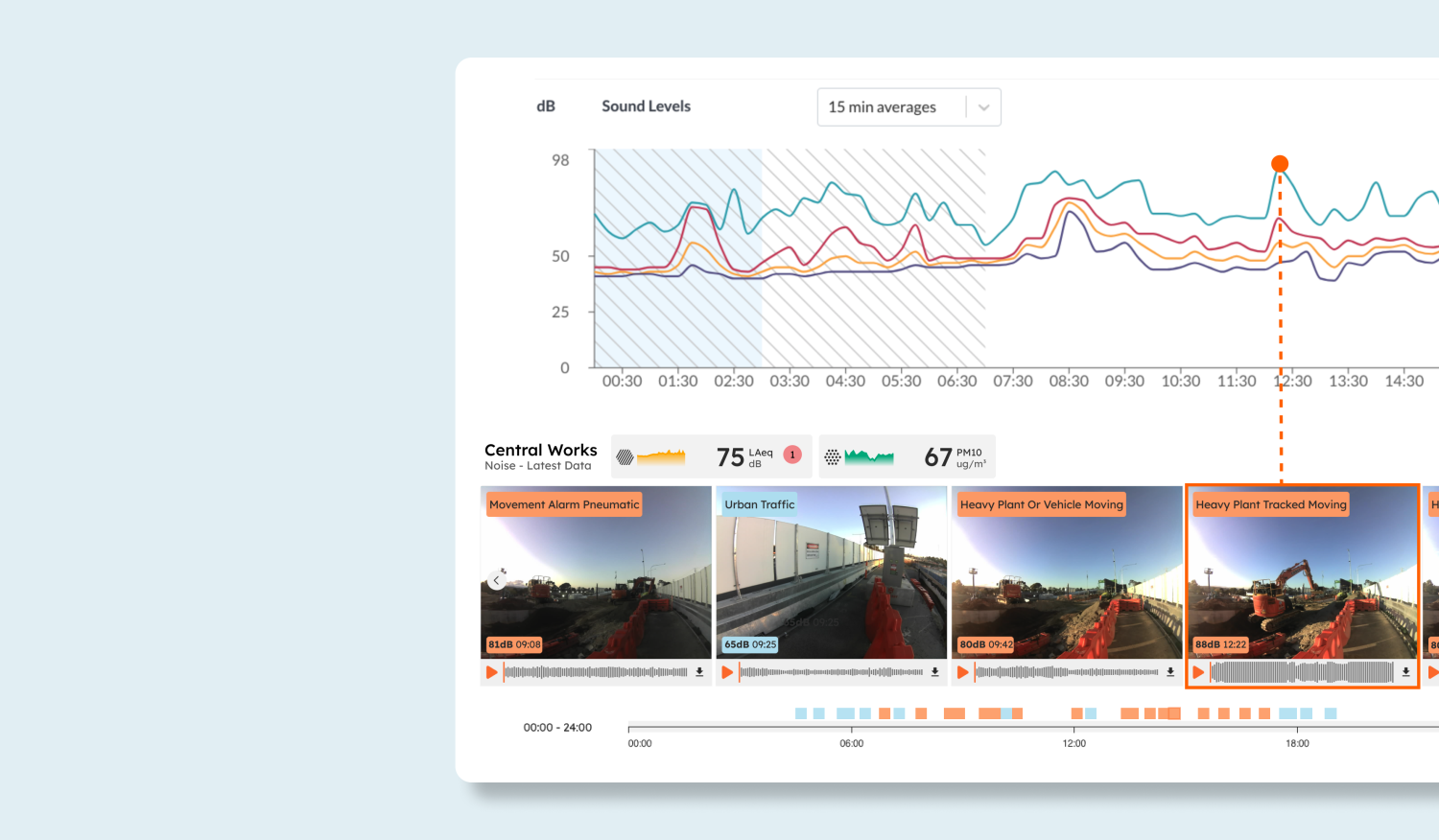
The Timeline feature in SiteHive Enviro is a real timesaver that gives you precise control and key insights across all your environmental data. With it, you’ll find it’s never been easier to understand and explain site events, and make informed decisions.
Like more info?
- If you’re currently using SiteHive Enviro you can read more details here, or contact us any time via Live Chat or our Support contact details.
- If you’re not currently using SiteHive Enviro, Live Chat with us or contact us at any time.
What you’ll find out:
- A summary of the Timeline feature in SiteHive Enviro
- How to investigate events quickly and easily
- Using images, audio and AI for rapid event identification
- Accessing site data to make immediate and informed decisions
Learn more about our software
SiteHive Enviro comes with many other great features that will make your environmental monitoring a breeze. Discover all the great things you can do!